Showing posts with label Root. Show all posts

Saturday, 1 June 2013

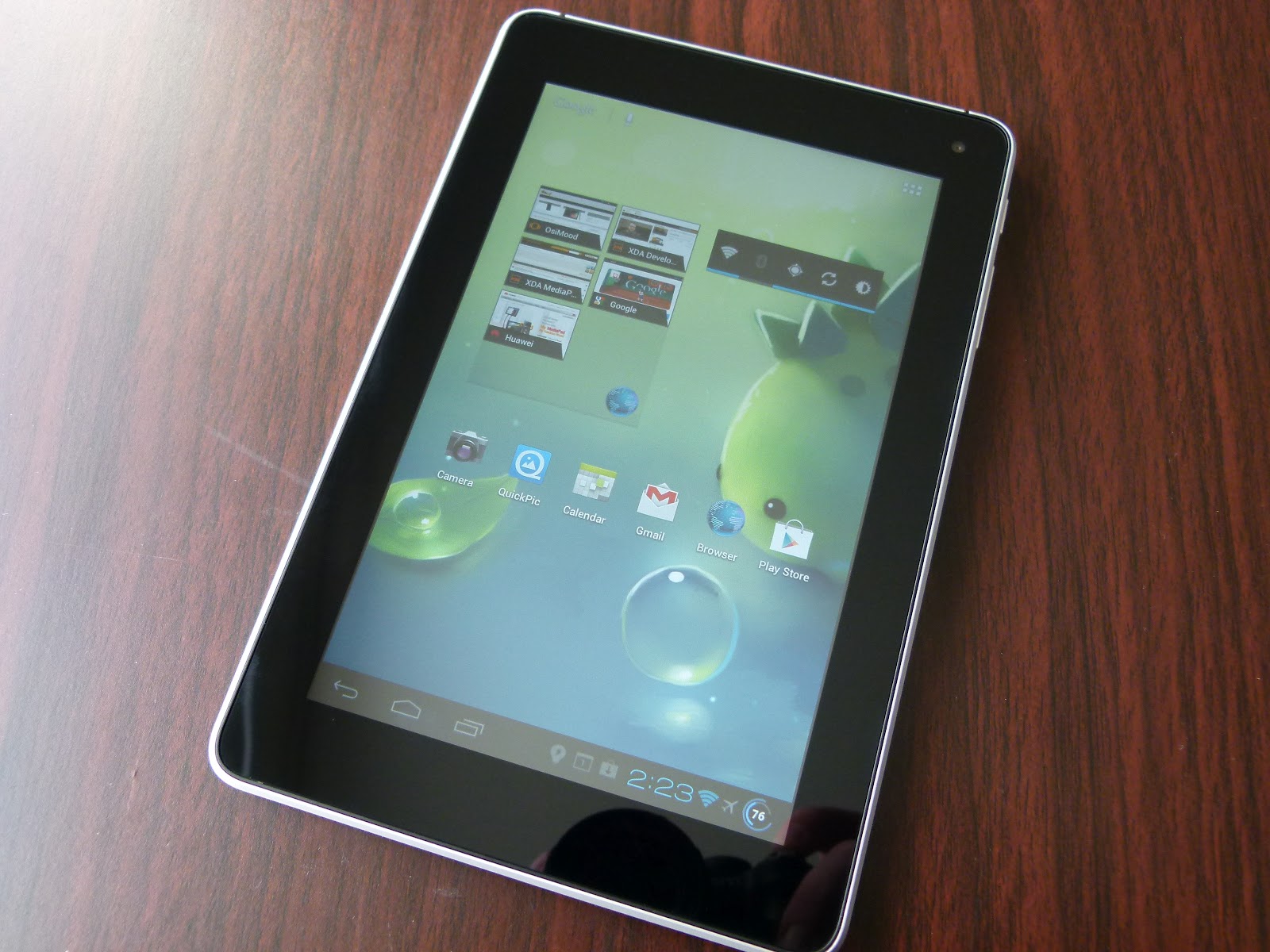
How to Root the Padfone Infinity [How to]

Possibly the easiest Root method ever.

It's a little bit grandiose calling this a guide really, because to Root your Padfone Infinity all you need do is download and install this app, and then select the 'Gandalf' exploit. Viola! Your Padfone Infinity is Rooted. I had to try the app a couple of times before it gave me the success message, so don't be disheartened if it doesn't take first time.

Big thanks to alephzain from XDA-Developers for this exploit, his original thread is here.

Be sure and donate to him to show your appreciation.

[UPDATE] Immediately after obtaining Root I was notified of a brand new firmware update for the Padfone Infinity, just wanted to let you know that OTA Rootkeeper from the Play Store will allow you to backup and then restore Root after applying the update. Oh, and the update isn't 4.2, in case you were wondering.

[UPDATE] It seems Padfone Infinities bearing the CHT product code cannot be Rooted using this method. The only suggestion I have seen so far to address this is to download a TW product code firmware and flash it to the device, although information on how to flash it is scanty at present. More to come on this when I have more information to share.


If you haven't yet got your Padfone Infinity, Mobicity has them in stock right now and you can grab yours here.


Monday, 24 September 2012

Official Jelly Bean starts rolling out to the Galaxy S3


Jelly Bean.
It has arrived.

The news Galaxy S3 owners have been waiting for is finally here - as of now the official Jelly Bean update is rolling out starting with Poland. It will no doubt roll out over other regions in the coming days, but if you just can't wait to get a taste of Jelly Bean you can naturally download the Polish ROM - PDA I9300XXDLIB CSC I9300OXFDLI1 MODEM I9300XXDLIB - here now and install it to your Galaxy S3 in Odin (or better yet, Mobile Odin using the EverRoot option to make sure that your Root privileges don't evaporate in the update process).

Via: Sammobile.com


UPDATE: Just flashed this to my International S3 minutes ago, can confirm that flashing in Odin with EverRoot/inject Super SU/inject Mobile Odin and wipe went swimmingly. All up and running, completely perfect so far. Just running some benchmarks now and thought I would leave you with this one, a little something to show your iPhone 5 toting friends who seem suddenly to have started caring about benchmarks this week...


Monday, 20 August 2012

[At Your Own Risk] How to Root your Huawei MediaPad or T-Mobile Springboard

The Huawei MediaPad, one of the most underrated 'Droids ever made

...and here is the second rapid-fire Root 'guide' for the day. Like the guide for the AT&T SIII this isn't really so much a guide, as a pointer to where to find the Root method, because the method itself is so simple. In fact, I can safely say the MediaPad is the easiest to Root Android device I've ever used. So, if you own a MediaPad, and the thought of Rooting your Android device has always seemed tempting, but just too scary and difficult to try, then this might be just the thing you need to get your first taste.

For reference the T-Mobile Springboard is to all intents and purposes the same device, this guide will also work just as well for those of you packing the carrier-branded version of the MediaPad.

Here is what you'll need:
  • A well charged MediaPad
  • A microSD card
  • One of either of these custom ROMs - take a little look at their threads and decide which looks the best for you - Osimood or HWMod

Once you've got those together you're virtually there, just do the following:
  • Use the Huawei "AllBackup" app to back up your apps and data to the external SD card, since installing the Rooted-ROM will wipe your device (if you don't have anything you particularly need to retain post-flash, or you've just unboxed your MediaPad you can just skip this step)
  • Extract the zip file the ROM came in, you'll find a folder called "dload" 
  • Copy that folder to the root directory of the SD card, insert the card into the MediaPad's card slot
  • Restart the MediaPad and follow the onscreen instructions to install the ROM (Note:  If the update doesn't start automatically at restart, then restart again and additionally press and hold the Volume+ button)
  • When it is finished it will prompt you to remove the SD card or press the power button to exit the update utility and reboot the device - use the remove SD card option (everytime I've been in set-up, even including when it came fresh out of the box, it has crashed during set-up, and if the card is still in that will cause it to re-do the ROM install)
  • While the SD card is removed delete the dload folder before putting it back in the device, that way if you do happen to get a random restart on your MediaPad you don't re-flash the ROM and wipe everything again (!)

Congrats, your MediaPad is Rooted.

Yes, it really was that simple.

Honestly, you're finished. All done here.

Are you still here? 

Well, in that case let me recommend installing this custom kernel, which lets you do two great things for your MediaPad. Firstly, it allows you to overclock the MediaPad CPU cores to 1.5GHz, which gives performance a really nice bump (Sensation users, on the same SoC the MediaPad possesses, have demonstrated this is a very safe long term clock speed). It also fixes the difficult touch screen sensitivity of the MediaPad on its stock kernel, probably the most vexing fault on an otherwise excellent Android tablet.

[Notes: There is a more up to date version of the boot.img file out there, but it'll be a couple of days before I can get a download link for it - this version is perfectly functional though. Secondly here is the original thread at XDA, just be aware that the dev has now narrowed the kernels focus to CM9/AOSP builds for the MediaPad, so you shouldn't try and flash the downloads currently in the thread]

To install the kernel you're going to need to be able to use Fastboot, but that's a matter for another guide on another day (and hopefully another editor, if I can twist his arm hard enough). If you want to widen your Android-horizons in the meantime, why not make a start on some reading about Fastboot here, and here. You might even feel empowered enough to try it on your own!

[At Your Own Risk] How to Root your Samsung Galaxy S III (AT&T, US T-Mobile, US Sprint, US Cellular, Rogers, Bell, or Telus versions)

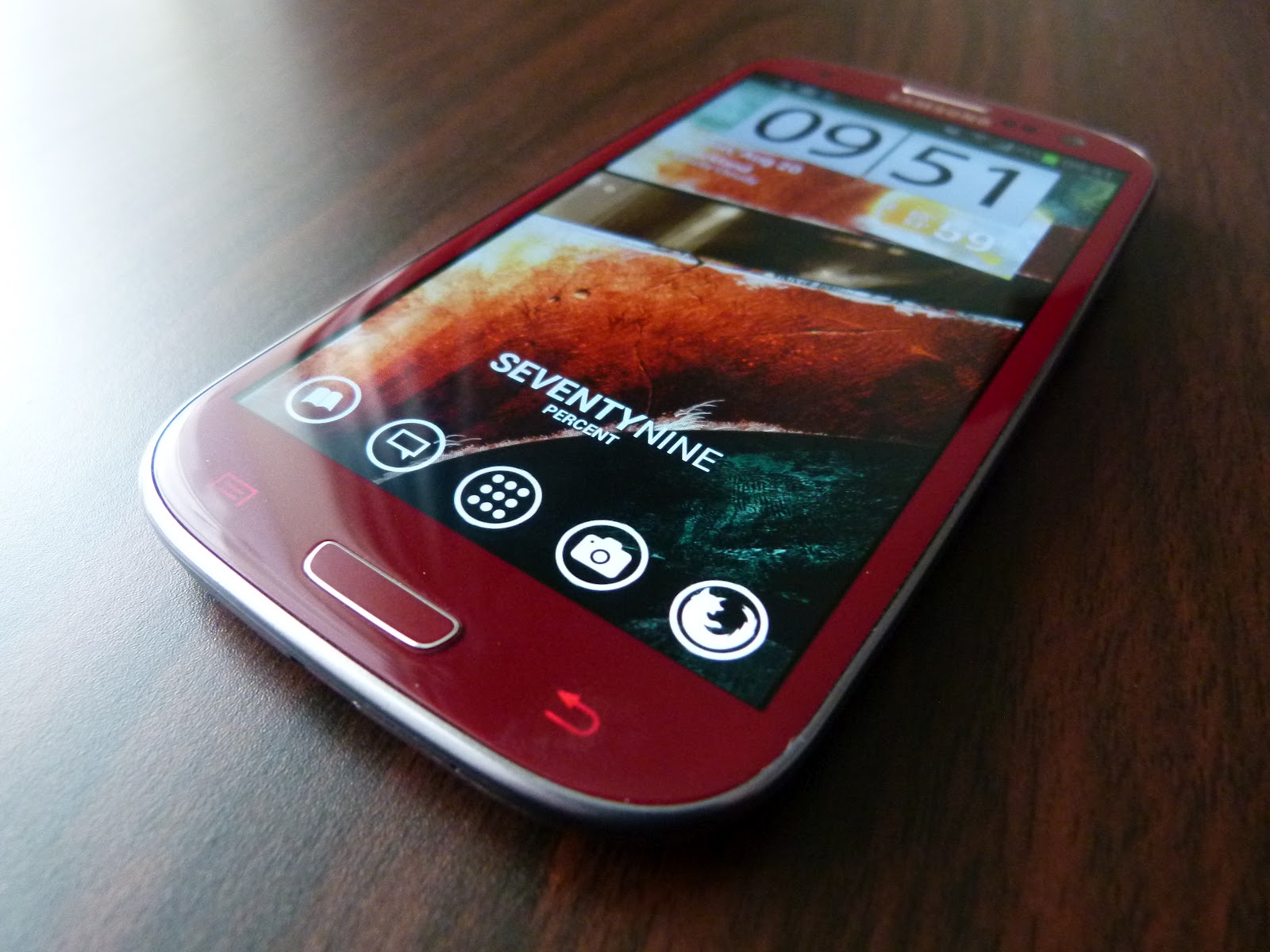
Introducing the blogs AT&T Garnet Red Galaxy SIII

This is the first of two rapid-fire Root guides we're going to push out today at the blog (the second being a brief guide for the Huawei MediaPad). I say brief because the methods for each device are so simple there really isn't much point in labouring a guide, we're just basically alerting you to the method that worked for us, since you may recall that you will never, ever, see a guide here at the blog that we haven't personally road-tested.

So, how did I come to have a US-variant SIII here in NZ?

Well, recently I had the opportunity (excuse?) to get my hands on one of the Garnet Red AT&T SIIIs, so I jumped at the chance to satisfy my gnawing curiosity about the how the S4-Krait based SIIIs would stand up to their international brethren (don't worry, a post about that is coming soon to help guide those of you in a position to choose between them). All of which is really only said to verify that I actually have one, and have personally used the Root method linked to below.

Before you rush to click the link to the Root method, you should familiarise yourself with our usual disclaimers at the beginning of this post. I say this not because we don't care if you have problems, it's just that our capacity to trouble shoot is limited, and you shouldn't have embarked on an adventure to Root your device unless you did your due diligence first and had some understanding of what you were up to. While we're in disclaimer mode. I should also be very clear that I only have an AT&T SIII, and have not tested the other models supported by this Root method (I see a number of Rogers users have used it without issues).

What you'll need to do is head to this thread at XDA, and download a Root Toolkit (or grab it here, or here). Simply install it and follow the very straightforward onscreen instructions, and you'll be Rooted in only a matter of minutes. For simplicities sake I'd recommend using the "allinone" option, which will also install CWM recovery and Busybox to your device.

Once you're done it is obviously advisable to head to the backup section of the Toolkit and make both Nandroid and EFS backups (you can even send those backups to your PC from within the Toolkit, just in case some mischief were to afflict your on-device storage, nice). If you have any issues with making a Nandroid backup from the Toolkit itself, simply boot into recovery and do it from there.

Lastly, you'll want to reset the flash counter (in case you're going to need to return to stock via Odin for warranty purposes). For that you just need to grab Triangle Away from Chainfire. Simples.

Finally, all that is left to do is make a donation to mskip, the developer of the Toolkit, and make a suitably gushing thank you post to his thread.

Monday, 9 July 2012

[At Your Own Risk] How to play Dead Trigger with ALL Tegra 3 graphics on your Galaxy SII, Note, Nexus, or SIII (Bonus Dead Trigger Sixaxis profile!)

Screenshot from Dead Trigger taken from my SIII, but where did those 'Tegra 3 exclusive'
water effects come from? Read on, you know you want to know how...

We're always up for providing a quick how-to here at AndroidNZ, particularly when it lets us work around artificial restrictions placed on our devices. Naturally in this instance I'm talking about those Tegra-3 'exclusive' graphical extras that we're meant to miss out on in Madfingergames latest zombie frag-fest Dead Trigger, despite having perfectly capable hardware.

If you read part two of our Galaxy SIII review you'll know exactly how I feel about Tegra-exclusivity, and you'll also be aware that even with Root and Chainfire 3D, Tegra-3 versions of titles aren't working with our Galaxy SIIIs (and if you haven't read the review piece you'd better make a start, part two is nearly 9,000 words long and you want to finish it before the next part goes live, right?!).

Or at least, that's how things were when I wrote that part of the review.

You see, as of now we can avail ourselves of those lovely Tegra-3 graphics in Dead Trigger. I wish I could report that this was via an update to Chainfire 3D, as that might give hope of unlocking those other Tegra-3 exclusives for us, but sadly the news isn't quite that good. Nevertheless, it is still quite good news, since apart from actually working, the method for enabling the extra graphical touches in Dead Trigger is, well, dead-simple (many thanks to SnakeHaveYou at XDA for bringing this to light for us).

In fact, it's so simple that there isn't really much to the guide that follows at all. That being the case I thought I had better add a sweetener, and this time it's a Sixaxis Controller Touch Emulation profile for you to download...

Oh, and if you saw the [At Your Risk] moniker and wondered what risks might be involved here, you can exhale now - the worst you can do is wipe your present game progress (and even then only if you're a muppet).

Read on!

Tuesday, 19 June 2012

[At Your Own Risk] Galaxy SIII video demo & guide for how to play NOVA 3 with a wireless PS3 controller

So, as promised here is that little video demonstration and guide for how to play NOVA 3 (or almost any game that doesn't natively support gamepads, for that matter) with a PS3 controller over bluetooth.

Naturally as this one comes with the [At Your Own Risk] moniker, Root privileges are required. If you haven't Rooted your Galaxy SIII yet, it's super-easy, and we even have a wonderfully easy to follow guide right here. Before you do that however, be sure to familiarise yourself with our standard weasel-words disclaimer at the beginning of this piece. If you can't be bothered reading the disclaimer, and want to foolishly plow into things without understanding what you're up to, be aware that our disclaimer is fairly dire, and we mean every word of it (even the bit about pointing and laughing at you, Nelson styles). That said we don't publish any guides requiring Root privileges here at AndroidNZ that we haven't personally road tested, so there is that.

If you happen to be making your first steps in the world of Rooting, modding, hacking and generally making your Android device truly yours, you should probably also check out our guide to backing up your shiny toy before getting any further.

Anyways, make the jump and join us after the break where we have the video demo and guide, and also a download link for the Sixaxis Controller touch emulation profile that I use in the video to put directly on your device if it all seems a bit much.

Friday, 1 June 2012

The Samsung Galaxy S III, at AndroidNZ


Quick heads-up: several of the AndroidNZ editors now have their very own shiny Galaxy S IIIs (in fact yours truly was the first in New Zealand to get one after queuing for seven hours at the Vodafone midnight release sale).

Needless to say we're getting to grips with the device at a rate of knots and we'll have lots of content coming to you very soon - including the first part of our usual mammoth review later today. If you can't wait until then to learn some more about the S III, I've been giving my usual up-to-the-minute impressions and experiences on Twitter @NZtechfreak, and we've also written several pieces about it covering things that have been throughly neglected in the wider tech press.

Our S III content timeline to date has unfolded as follows:


So, stay tuned for more, and don't forget that your questions are always welcome here at AndroidNZ - feel free to drop them in the comments here or hit us on Twitter.


Saturday, 19 May 2012

Galaxy S3: Rooted!


In keeping with the fine tradition of Samsung handsets being Rooted before release we are happy today to report that the Galaxy S3 has been Rooted, courtesy of none other than Chainfire. This Root is currently working on a pre-release firmware, so its worth bearing in mind that Samsung may yet make changes in the release firmware that prevent this exploit from working.

Full details are available here.

Before we sign off, here's a quote we very much enjoyed from Chainfire himself, which sums up our feelings about other companies bootloader policies rather nicely:

Now, everybody say thanks to Samsung! I don't always agree with them, but so far they have been the first and IMHO still are the only high-end Android OEM who aren't complete douchebags in the unlock department!


Sunday, 19 February 2012

[IMPORTANT UPDATE - DO NOT UPGRADE TO ICS - RISK OF HARDBRICK] Samsung Galaxy Note: ICS installation guide, detailed impressions with video walkthrough [At Your Own Risk]


Up until a few days ago I was really beginning to worry that Samsung wasn't on track with it's release schedule for bringing ICS to the Galaxy Note. I'd been watching leaked ICS ROMs come to the Galaxy S II with an alarming frequency for weeks and weeks, but nothing for the Note. Given Samsung seem to be as leaky as a sieve when it comes to keeping their firmwares in-house, this just made me think the Note might have been getting a bit neglected. Fortunately those fears have proven unfounded, as an ICS build for the Note leaked a couple of days ago. Naturally I flashed it ASAP, I mean, what's a self-respecting Android geek to do?

The video above is a walkthrough through some of the highlights and lowlights of this early build [Spoiler alert: it's nearly all highlights]. After the break I throw down a few more thoughts, and, possibly more importantly, lay out how you can flash this onto your own Note.

...and trust me, you'll want to.

Wednesday, 11 January 2012

ASUS Transformer Prime: ICS video walkthrough and important information regards Root

Quick post just to alert you to our video demo of ICS running on the Prime, catch the video below.

Also an important piece of news for fellow owners - if you want Root on ICS then you need to follow these simple steps:


  1. Root your Prime before the update using viperMod from XDA, every thing you need to know is here (this is the easiest Root method I've ever used so I won't produce a full guide)
  2. Install OTA Rootkeeper from the Market, it's a free app by awesome dev Supercurio
  3. Run through Rootkeepers set up
  4. Install the ICS update
  5. Restore Root with Rootkeeper
  6. Show your gratitude to Supercurio by making a donation to keep him caffienated


Friday, 11 November 2011

[At Your Own Risk] How to Root your Galaxy Note

[UPDATED GUIDE 11/11/2011]

You know one thing I really love about Samsung Android devices? They never really lock the bootloaders. Why do I love that? Because Root usually comes very soon after release of the device, or in the case of the Note pretty much at release. 


I just got my Galaxy Note, so naturally the first thing I wanted to do to my my brand new handset was invalidate it's minty-fresh warranty.

Now that I've done that, and can live up to our guarantee that we only do guides for things we've done to our own devices, here are the spoils for you: a guide on how to violate the conditions of your minty-fresh warranty Root your Galaxy Note.

...also we also have video guides to supplement these written ones on our YouTube channel!

Tuesday, 8 November 2011

[At Your Own Risk] Get the Roboto font on your Rooted Galaxy Note

If you're waiting for my next Galaxy Note review instalment I'm afraid this post will disappoint you; this is not the post you're looking for. Don't worry though, those posts are coming very soon!

This post is for people who have, or will have, the Galaxy Note - a brief guide for how to get the Roboto font from Ice Cream Sandwich on your Note right now. If you missed out on the press surrounding the Roboto font, it's the default font in the upcoming iteration of the Android OS, and it's something a little bit special. You see, the typeface for Roboto has been specially designed with high density, high resolution screens in mind. It promises to give you the best text reading experience on your HD screen, which of course makes it a must on the 5.3 inches of gorgeous Super AMOLED HD found in the Note.

Hit us up after the break to see how simple it is to get this running on your Note.

Tuesday, 11 October 2011

[At Your Own Risk] How to Root your Samsung Galaxy S II

We're starting a new run of serialised content today at AndroidNZ, you'll be able to recognise it from here on out by its 'At Your Own Risk' tag.

It's going to focus on how to Root, hack, and mod your Android handset, and as the very name itself implies there is an element of risk involved in all of this. If the disclaimer-in-a-title isn't clear enough: if you try these mods you might turn your shiny cellphone into a paperweight. If that or any other problem does eventuate, it's all on you. We take no responsibility whatsoever for any problems you might experience.

If that isn't bad enough, we're not even going to give you troubleshooting support. OK, that's a little harsh, we will be able to give very limited troubleshooting advice. It's not that we don't care, it's just that a blog isn't really set up to allow the level of 1:1 interaction required to meaningfully
troubleshoot anything more than basic problems.

...now that you've had time to really digest just how alone you will be if it does all go pear-shaped, we can pledge that we will never run a piece on anything that we haven't tried first. We can also assure you that a Rooted Android device has many advantages over it's stock brethren - so many advantages that even with the dire warnings above we think you'll probably still want to Root your Android device at some point.