Showing posts with label Samsung Galaxy SIII. Show all posts

Sunday, 22 July 2012

Top 10 Apps to customise your Samsung Galaxy S3

Time to customise this baby?

Perhaps you recently read our article about the top 10 standalone apps for the Galaxy S3 and wanted more, or perhaps you've just bought a Samsung Galaxy S3 after reading part one or part two of our review. Frankly we aren't fussed about where you came from as long as you're keen on customisation. One of the best things about Android is the ease and breadth of customisation. Even with a phone as great as the Galaxy S3 there will be things that you might like to change.

Once again this is where we come in. This article is part two in a series about Top 10 Apps; this time we're covering apps you can use to customise your S3 to your liking, all without the need to root your phone.

If you're interested then read on after the jump!

Sunday, 8 July 2012

[REVIEW] EASECASE - Custom-made Leather case for the Samsung Galaxy I9300

There are so many debates over whether to adorn your precious phone with a protector or a case.
In my view, the only right answer is the one that works for you.

For me I like to have my phone with both a protector and a case. My phone gets carted in a backpack during my daily commutes to work by bike. A backpack offers very little protection against the knocks and bumps made by contact with various bike paraphernalia stored in my backpack.
I’ve always had a case for my phones, well more precisely, a pouch.
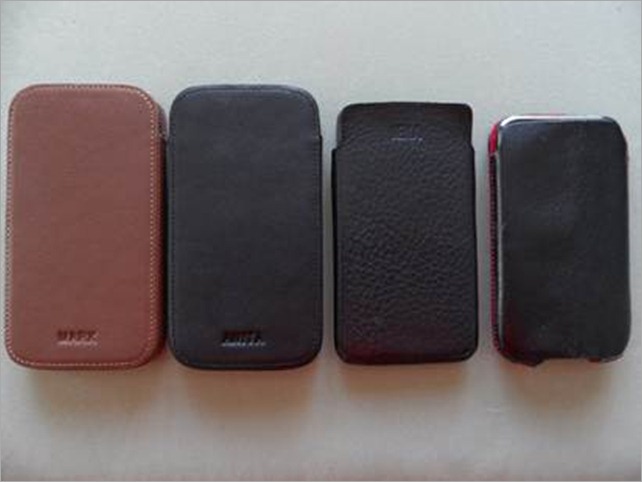
That’s the line up. L – R Mark’s SIII, my SIII, my SII and Mark’s S (my hand-me-down). Clearly I’m struggling with letting go of the older model Galaxy phones.

I had been looking for some weeks for an appropriate leather case for the SIII. I hadn’t seen anything that took my fancy. I was waiting for SENA to bring our their case. They were taking too long for me.

One day I was searching through the XDA Accessories page when someone made mention of these custom-made leather cases. That sparked my interest.

So I toddled off to eBay to see what was on offer, and I liked what I saw. Well I liked what I read. You can choose the colour and grain of your liking, the colour of the lining, whether you wanted any embossing, and the type of clip/closure that suited you.
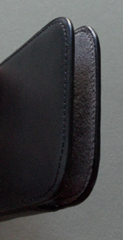
Very tidy work
Very tidy work

Of course so many options didn’t make it that easy to decide on the overall look of the case.
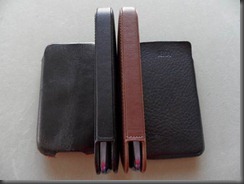
I have to admit that when I first saw a picture of the case I assumed it was a photo from an iPhone case. The sides were square. That didn’t seem to gel to me with the SIII with it’s lovely slim lines and curves.
clip_image005
When the cases arrived, sure enough the sides were square. I really wasn’t sure the phone would fit. I felt the gap was too wide. So to my surprise it was a tight fit. And coaxing the phone out wasn’t as straight forward as you’d think.

You have to turn the case upside down. And use the same sort of motion as trying to get a pack of cards out of their pack. Except with quite a bit more force.

Mark’s case was tighter than mine. In the end he left the I9000 in there, a bit like wearing socks inside a pair of shoes to help stretch them. Okay, that doesn’t make sense to blokes, but for women, wearing a pair of socks inside a pair of ladies dress shoes is a really common way to get the leather to “give” quicker.

After several days Mark tried the case again. I think he over stretched it. His phone was slip right out when the case was held upside down. But a few more days later the case has eased back a little and it’s pretty much perfect now. I still have to give mine a little more ooph to get the phone to ease out to the point I can then use my fingers on the side to slip it all the way out.
clip_image007
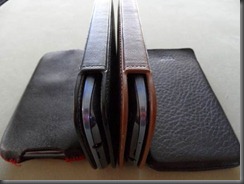
Unfortunately Mark’s case has a few little marks on it, you might be able to pick them up from here. It’s about where the microphone is at the top of the phone. I have contacted the seller about this, and mentioned too how Mark’s case was much tighter than my own. I said I’d be in touch if things didn’t come right in a day or two. I’ve not contacted them back, and they’ve made not further comment.

These cases aren’t cheap. They converted to around NZ$62. I felt that the blemish on Mark’s case wasn’t really the sort of thing I would expect to see on a case in this price bracket. Of course part of the cost is due to the total customisation of the case.
So what about the quality? I think the quality of the case is really good. The stitching is even, the lining sits nicely on the inside. The embossing is neat and even.
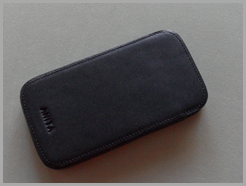
clip_image008
If it weren’t for that blemish in Mark’s case I’d have given these cases a 10/10. But I feel for the price, there shouldn’t be any defects.

The case itself is really sturdy. I haven’t tried sitting on it or anything. That would just be silly. But you wont be bending these out of shape. I can try squeezing the sides, and while there’s some flex, the case is too strong for the sides to meet.
I actually feel like there’s more protection in this type of case. I’m less concerned about what the phone might come into contact with in my backpack because there’s a little more peace of mind with how these cases are constructed.

Would I recommend this case? Yes. It’s great knowing you’ve got a one-of-a-kind.
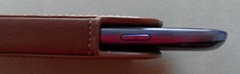
clip_image010What I would suggest, if you’re brave enough to admit to having little or no fashion sense, let someone else give an opinion on what will look smart with the phone. I bit my tongue with Mark’s choice, but it’s definitely not what I’d have put with a Pebble Blue phone.
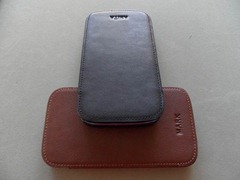
 
Don't we look cute together?
Don't we look fetching together?

Friday, 29 June 2012

Video Review: Tridea Tedoori Bumper Case for Samsung Galaxy S III

Bumper. What exactly does it mean? A quick dictionary search will lead you to something along these lines; a fixed metal bar used in a vehicle to reduce damage after a collision. Seems useful, huh? The folks at Tridea took the idea of a bumper and ported it to phones in order to have a similar effect, reducing damage during a drop or fall.

The result is the Tedoori Bumper case, made from a TPU material, it hugs the sides and corners of the Galaxy S III to provide a tight fit whilst adding a slight grip. The execution of the case is good for the most part, it is comfortable to hold while maintaing a minimalistic and simple design. The ports and cutouts are spot-on, so I have no problems with the manufacturing of the case.

The main issues come with the way the case is meant to be used, simply put: this case offers an extremely low amount of protection from scratches or drops. Bumper cases in general are to be used by consumers that are careful with their devices, the Tedoori being no exception. One drop and you can kiss your Galaxy S III goodbye. This isn't a knock on Tridea, but rather bumper cases in general.

Check out the video below for the full review:

Friday, 8 June 2012

[At Your Own Risk] How to Root your INTERNATIONAL Samsung Galaxy S III, and how to return it to stock if necessary! [Updated 08/06/2012 with new, easier Root method!]

This is the AndroidNZ guide to rooting the latest and greatest Samsung device; the Galaxy S3 [NOTE: this guide is for the INTERNATIONAL VERSION ONLY, you may brick your phone if you try and follow this on your American version].

Thankfully Samsung have not gotten into the habit of locking their bootloaders, so this should be a fairly straightforward and low risk proposition.

Firstly I'd like to thank Chainfire for doing all the hard work here. He not only developed a root method and customised CWM to work with the S3, but he also wrote a pretty easy to follow guide that you can find here at XDA Forums.

As usual everything detailed here is at your own risk, we can't be held responsible for anything you do to your device. You need to be aware that there is a real risk of bricking your device, especially if you do not follow instructions exactly.

You will possibly void the warranty on your device by increasing the flash counter, thankfully Chainfire is planning to update his TriangleAway app within the next few days to remedy this and we will likely be posting a guide on restoring your Samsung Galaxy S3 to stock. [UPDATE: Chainfire has now released an undated version of Triangle Away on the Play Store, so resetting your flash counter is now utterly simples - grab it from here].

Hit us up after the break for our detailed guide with lots of screen grabs to help you along the way (and look out for our video guide on the blogs YouTube channel tomorrow if you feel like you need even more hand-holding).

[If you don't presently own an S III, but have somehow found yourself here you might like to check out the first part of our AndroidNZ S III review here instead of clicking through to the guide]

Apple attempts to have Galaxy S III banned in USA

Alarmed by reports of more than 9 million pre-orders of Samsung’s spectacularly popular and in-demand Galaxy S III, and by its imminent launch in the US, Apple has declared its intention to seek an injunction against the handset. Before the San Diego California court, Apple’s lawyers announced that the company would likely file for injunctive relief, in effect a ban on US sales of the S3, on Friday.

Wednesday, 6 June 2012

Top 10 standalone Apps for your new Samsung Galaxy S3

Got this baby and need some apps?

So you've just bought yourself a brand spanking new Samsung Galaxy S3 after reading part one of our brilliant review? well I don't blame you. Since you are now the owner of the best handset around you may want to start filling it with the best apps available. That's where we come in.

This is the first piece in a series recommending the best apps available for your Galaxy S3. This first part is about the top ten standalone apps that you should download to get the most out of your S3. Part two focuses on customisation apps and part three will introduce you to the world of root apps, meaning apps that require root access. [UPDATE: We've now done a second piece about the best apps for the Galaxy S3, this time around looking at apps for customising your Galaxy S3 and tweaking it to work just the way you want it to - check it out here].

If you're new to Android, or even if you aren't then keep reading to find out what we recommend!